Watch this quick video to explore your VisitorReach Home Screen or read below:
Key Sections of the Home Screen
People Per Journey
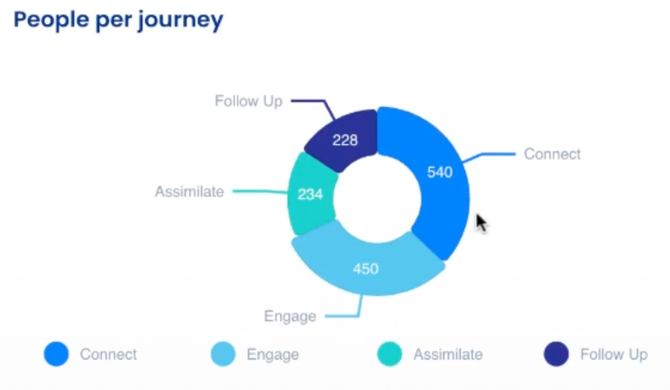
Located on the left-hand side, this section displays the number of people in each journey:
-
Engage: The initial stage where new seekers are introduced to you and begin receiving NurturePoint Journeys.
-
Connect: People who have replied and shown interest in getting more information about the church or have completed the Engage Journey.
-
Follow-Up: People who have completed Engage and Connect but have not yet visited the church.
-
Assimilate: People who have visited your church in person and are ready to take next steps with their connection to the church.
People Per Source
On the right-hand side, you can see where people first connected with you, including:
- Social Media
- Web Forms
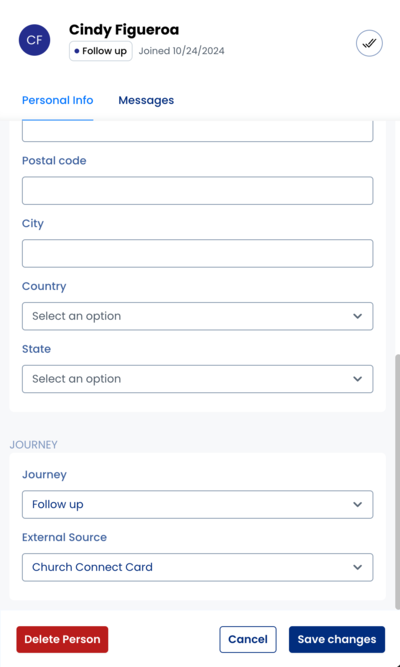
- Church Connect Card
Weekly Additions
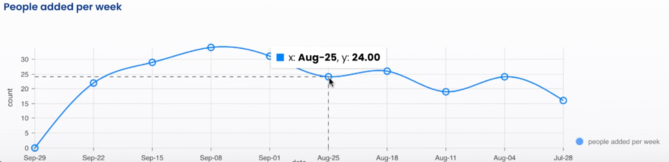
- At the bottom of the home screen, you’ll find data on how many new people were added each week.
- For example, on the week of August 25th, 24 new people were added to the Visitor Reach app.